
Marketing is no longer just about running ads or posting content. In 2026, it is about speed, control, and clear results. Teams need tools that help them build, launch, and improve campaigns without delays. This is why many professionals now compare Webflow with other platforms to find the right solution for their daily work.

Here, we will discuss how Webflow stands against traditional systems. You will learn what makes each option strong or weak. By the end, you will know which platform fits your Marketing goals and how to use it to grow faster with fewer limits.
Understanding Webflow in Today’s Marketing Landscape
Webflow is a website builder that gives teams control over design and content without relying on developers. It allows quick updates and smoother workflows, which helps teams stay efficient. In modern Marketing, speed is important. Campaigns change fast, and Webflow helps teams respond quickly by making updates in real time.
Webflow also offers strong design flexibility. Teams can create unique pages instead of using fixed templates. This helps improve user experience and supports better Marketing results.
Core Capabilities of Webflow
To understand its value, let’s explore what Webflow offers:
- Visual design tools that allow real-time editing
Teams can see changes instantly, which reduces mistakes and saves time. - Built-in content system for blogs and landing pages
Content can be managed easily, supporting ongoing Marketing work. - Fast hosting with strong performance
Websites load quickly, improving user experience and search rankings. - Built-in SEO settings
Teams can manage titles, descriptions, and URLs without extra tools. - Secure and reliable infrastructure
Webflow handles hosting and security, so teams can focus on growth.
These features make Webflow a strong option for teams that want better control over their Marketing efforts.
What Are Traditional Marketing Platforms?
Traditional platforms include tools for content, automation, analytics, and customer tracking. These tools usually work separately. Most teams use multiple tools to manage their work. While each tool is helpful, managing them together can become complex and time-consuming.
This setup can also slow down Marketing execution because teams need to switch between platforms and manage data in different places.
Types of Platforms Used by Teams
Here are common tools used in modern workflows:
- Email campaign tools
Used to send messages and engage with audiences. - CRM systems for customer data
Help store and manage customer information. - Landing page builders
Used to create pages for campaigns, often with design limits. - Analytics platforms
Track performance and measure results. - Social media schedulers
Help manage posts across platforms.
Each tool supports a part of the process, but together they can slow down Marketing execution.
Key Differences Between Webflow and Traditional Platforms
The main difference lies in how these tools operate, connect, and support daily workflows. Webflow is built as a unified system, while traditional platforms depend on multiple tools working together. This creates a clear gap in speed, control, and ease of use.
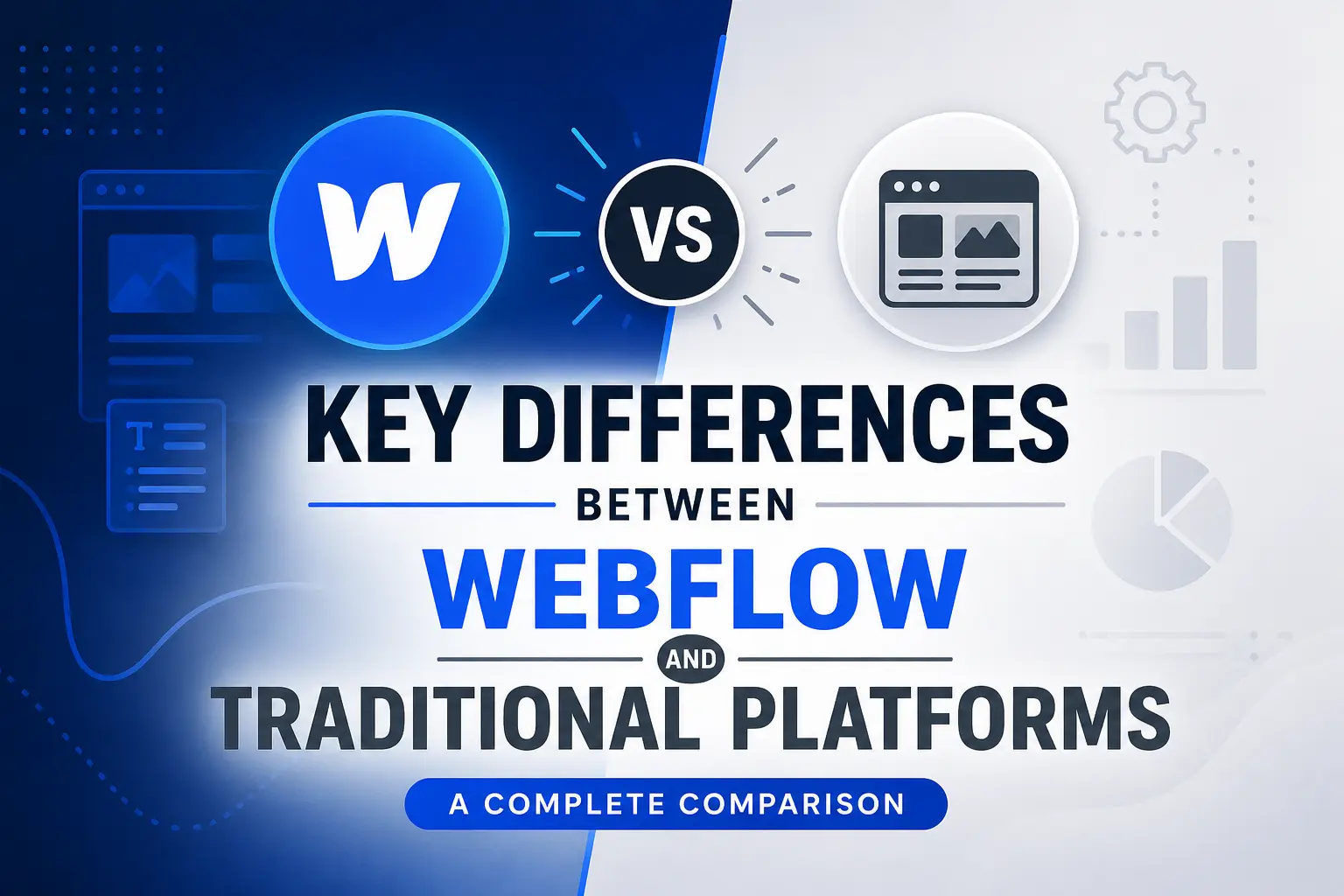
Let’s break down these differences in more detail so you can understand how they affect real Marketing work.
Setup and Onboarding
Webflow offers a simple setup. Teams can start building and publishing without dealing with complex configurations. Everything is built into one system, which reduces the time needed to get started.
Traditional platforms often require multiple tools to be connected. This setup takes time and may need technical support. For many teams, this slows down the start of Marketing campaigns.
Speed and Workflow
Speed is one of the biggest differences. Webflow allows instant updates. Teams can edit a page and publish it right away. This is useful when reacting to trends or testing new ideas.
Traditional platforms usually involve more steps. Changes may require approvals, integrations, or developer input. This slows down execution and makes Marketing less flexible.
Design Flexibility
Webflow gives full control over design. Teams can create custom layouts that match their brand exactly. There are no strict limits on how pages look or function. Traditional tools often rely on templates. While templates are easy to use, they limit creativity. This can make it harder to stand out in competitive Marketing spaces.
Integration and Connectivity
Webflow supports integrations but does not depend on them for basic functions. Many tasks can be handled within the platform itself. Traditional systems rely heavily on integrations. Each tool handles a specific task, so they must be connected to work together. This adds complexity to Marketing operations and increases the chance of errors.
Maintenance and Management
Webflow requires low maintenance. Hosting, updates, and security are handled within the platform. Teams can focus on strategy instead of technical issues. Traditional platforms need ongoing maintenance. Each tool must be updated and managed separately. This increases workload and can slow down Marketing performance over time.
Overall, Webflow focuses on simplicity and efficiency. Traditional systems, on the other hand, rely on multiple layers that can make workflows slower and more complex.
Below is a short but professional comparison table between Webflow and other popular tools used in modern workflows. We have included real platform names and added complex decision factors so it’s useful for your blog readers.
Short Comparison: Webflow vs Other Marketing Tools examples
Key Takeaways from the Table
- Webflow stands out because it combines design, CMS, and hosting in one system, reducing complexity.
- Tools like HubSpot are powerful but require multiple modules, which increases complexity.
- WordPress is flexible but depends heavily on plugins and maintenance.
- Mailchimp is strong for email, but it cannot handle full website workflows.
- Wix is easy, but it limits design control compared to Webflow.
Quick Insight
- Choose Webflow if you want speed + design control + fewer tools
- Choose HubSpot if you need deep automation and CRM
- Choose WordPress if you want full customization with technical control
- Choose Mailchimp for email-focused campaigns
- Choose Wix for a simple and quick website setup
Why Teams Are Moving Toward Webflow
Many teams now prefer tools that reduce friction and remove delays. Webflow fits this need well because it brings design, content, and publishing into one place. This makes daily work smoother and more efficient. Teams no longer need to depend on multiple systems to complete simple tasks, which improves overall Marketing performance.
Faster Execution
Webflow allows teams to launch pages quickly without waiting for developers. A campaign idea can move from planning to live in a short time. This is especially useful when reacting to trends, seasonal offers, or user feedback. Faster execution helps teams stay ahead and keep their Marketing efforts active and relevant.
Better Team Collaboration
Webflow improves how teams work together. Designers, writers, and managers can all access the same platform. This reduces confusion and removes the need for constant back-and-forth communication. Everyone sees updates in real time, which leads to fewer mistakes and smoother workflows. Strong collaboration supports better Marketing outcomes.
Improved Performance
Webflow websites are built for speed and performance. Fast-loading pages create a better experience for users. This also helps with search rankings, which is important for visibility. When users stay longer and interact more, it improves overall Marketing results.
Common Problems with Traditional Platforms
Traditional systems still work, but they often come with challenges that affect efficiency. These issues can slow down progress and make daily tasks more complicated.
Too Many Tools
Using multiple platforms means switching between systems throughout the day. This wastes time and breaks focus. It also increases the risk of errors, such as missing data or incorrect updates. Managing many tools makes Marketing workflows harder to control.
Dependency on Developers
In many traditional systems, even small changes require technical support. This creates delays and limits flexibility. Teams cannot act quickly because they depend on others to complete tasks. This slows down growth and reduces the effectiveness of Marketing campaigns.
Higher Costs Over Time
Each tool comes with its own cost. When combined, these expenses can grow quickly. Businesses may spend more on subscriptions than expected. Managing multiple tools also adds hidden costs, such as training and maintenance. This makes Marketing less cost-efficient.
These challenges make it harder to run smooth Marketing operations and can reduce overall productivity.
Where Webflow Works Best
Webflow is not just for designers. It works well for different types of teams that need speed, flexibility, and control. Its simple setup and powerful features make it suitable for many use cases.
Ideal Use Cases
- Startups that need quick launches
Startups often move fast and need to test ideas quickly. Webflow helps them launch pages without delays. - Agencies handling multiple clients
Agencies can manage several projects in one place. This improves efficiency and keeps workflows organized. - Small teams with limited resources
Teams with fewer members benefit from tools that reduce workload. Webflow removes the need for extra technical support. - Content-focused businesses
Businesses that rely on blogs, landing pages, and updates can easily manage content within Webflow.
These teams benefit from faster execution, better control, and improved Marketing performance without added complexity.
Where Traditional Platforms Still Win
Even though Webflow is powerful and flexible, traditional tools still have clear value in certain situations. These platforms have been built over time to handle complex workflows, especially for large organizations. In some cases, they offer features that go beyond what a single platform can manage. For teams with advanced needs, traditional systems can support deeper and more structured Marketing operations.
Best Scenarios
- Large companies with complex systems
Big organizations often have multiple departments, regions, and workflows. Traditional platforms can handle these layers with more control and customization. - Businesses needing deep automation
Some companies rely heavily on automated workflows, such as detailed email sequences or customer journeys. Traditional tools often provide more advanced automation features for these needs. - Teams using advanced customer tracking
Platforms with strong data tracking and reporting tools can offer deeper insights. This is useful for teams that depend on detailed analytics to guide their Marketing strategies.
In such cases, combining tools may be the better choice. While this setup may be more complex, it allows businesses to build a system that matches their exact requirements.
Benefits of Using Webflow
Before choosing a platform, it is important to understand the real benefits Webflow offers. These advantages make it a strong option for teams that want speed, control, and simplicity in their daily work.
Main Advantages
- Quick updates without coding
Teams can make changes instantly without waiting for technical support. This keeps Marketing campaigns active and up to date. - Full control over website layout
Webflow allows complete design freedom. Teams can create unique pages that match their brand and improve user experience. - Better performance and speed
Fast-loading websites improve engagement and help with search visibility, which supports stronger Marketing results. - Lower long-term costs
By reducing the need for multiple tools, Webflow can lower overall expenses over time. - Easy content management
Content can be added, edited, and updated quickly, making it easier to maintain consistent Marketing efforts.
These benefits help teams work more efficiently and focus on growth instead of managing complex systems.
Limitations You Should Know
Webflow is strong, but it is not perfect. Like any tool, it has some limitations that users should understand before making a decision. Knowing these points helps teams plan better and avoid unexpected challenges in their Marketing workflows.
Challenges
- Takes time to learn for beginners
New users may need time to understand the interface and features. While powerful, it is not as simple as basic website builders. - Limited built-in automation tools
Webflow does not offer advanced automation features on its own. Teams may need additional tools for complex workflows. - May require integrations for advanced needs
To handle tasks like email campaigns or customer tracking, users often connect Webflow with other platforms. This adds some extra steps to the process.
Understanding these limitations helps teams make better decisions and build a system that supports their long-term Marketing goals.
Integrations That Extend Webflow
Webflow becomes even more useful when it connects with other tools. While it handles design and content well on its own, integrations allow teams to expand its capabilities and build a complete workflow. This means you can keep Webflow as your main platform while adding extra tools for specific tasks.
Popular Connections
- Email tools for campaigns: These tools help send newsletters, offers, and updates to users. When connected with Webflow, data can move smoothly between your website and email lists.
- Analytics tools for tracking: Analytics platforms give insights into visitor behavior, page views, and conversions. This enables teams to identify what is effective and where improvements are needed.
- CRM systems for customer data: CRM tools store and organize customer information. Integrating them with Webflow allows better tracking of leads and user actions.
- Automation platforms: Automation tools connect different systems and reduce manual work. They help create workflows like sending follow-up emails after a form submission.
These integrations help teams build a complete Marketing system without losing the simplicity of Webflow.
Cost Breakdown: Webflow vs Other Platforms
Cost is an important factor for any business decision. It affects both short-term planning and long-term growth. Comparing Webflow with traditional platforms shows how different pricing models impact overall value.
Webflow keeps costs simple by offering design, hosting, and content management in one platform. This reduces the need for extra services. Traditional platforms, on the other hand, often require multiple subscriptions, which increases total spending over time.
Another key point is maintenance. Webflow handles updates and hosting internally, so teams do not need to spend extra on technical support. This makes it a cost-efficient choice for many businesses looking to improve their Marketing efforts without increasing expenses.
SEO Strength: Webflow vs Other Tools
Search visibility has great importance in online growth. A platform that supports strong SEO can help websites rank higher and attract more visitors. Webflow is built with features that support this goal.
Webflow SEO Features
- Clean and structured code: Well-organized code makes it easier for search engines to understand and index pages.
- Fast page speed: Quick loading times improve user experience and reduce bounce rates.
- Easy meta tag editing: Users can update titles and descriptions directly, helping improve search visibility.
- Mobile-friendly design: Websites work smoothly on all devices, which is important for modern search rankings.
These features support better rankings and help improve overall Marketing outcomes by driving more organic traffic.
User Experience and Design Freedom
One of the biggest strengths of Webflow is its design flexibility. It allows teams to create websites that match their brand without limits. A better design improves how users interact with the site and increases engagement.
Key Points
- Full control over layout, colors, and structure
- Ability to create unique, brand-focused designs
- No dependency on fixed templates
- Better user experience across all devices
- Higher engagement due to clean and modern design
These factors help improve overall Marketing performance by keeping users interested and active.
Speed and Workflow Efficiency
Speed plays a major role in how quickly teams can execute campaigns and updates. Faster workflows mean better results and more opportunities to improve performance.
Key Points
- Instant updates without waiting for approvals
- Quick testing of new ideas and layouts
- Faster campaign launches
- Reduced delays caused by multiple tools
- Improved productivity across teams
These benefits lead to smoother processes and stronger Marketing efficiency.
Security and Reliability
A secure and stable platform is essential for long-term success. It protects user data and ensures the website runs without issues.
Key Points
- Built-in hosting with strong protection
- Automatic updates and maintenance
- Secure connections for user safety
- Reliable performance with minimal downtime
- Reduced risk of technical errors
A secure system builds trust and supports consistent Marketing growth.
Future Trends in Marketing Tools
The future of tools is focused on simplicity and integration. Businesses want solutions that save time and reduce complexity.
Key Points
- Shift toward all-in-one platforms
- Increased focus on speed and ease of use
- Tools combining design, content, and analytics
- Reduced the need for multiple systems
- Greater demand for flexible solutions
These trends show how Marketing tools are evolving to meet modern needs.
How to Choose the Right Tool
The best platform to choose will vary based on your objectives and how you work. Asking the right questions helps make a better decision.
Key Points
- Identify your main goals and priorities
- Decide if speed or automation matters more
- Consider team size and skill level
- Check design flexibility requirements
- Evaluate long-term costs and scalability
These points will help you select a tool that supports your Marketing success.
Practical Tips for Getting Started
Once you choose a platform, the next step is to use it in a smart and structured way. Starting simple and improving over time helps you avoid mistakes and build confidence. Instead of trying to do everything at once, focus on small steps that lead to better results.
Tips for Success
- Start with simple projects
Begin with basic pages like landing pages or blogs. This helps you understand the platform without feeling overwhelmed. - Test different layouts
Try different designs, colors, and structures to see what works best for your audience. Small changes can make a big difference. - Track performance regularly
Use analytics tools to check how your pages are performing. Look at traffic, user behavior, and conversions to understand what is working. - Improve based on results
Make updates based on data, not guesses. Adjust content, design, and structure to get better outcomes over time.
These steps help you build a strong process and get the most out of your Marketing efforts while improving results step by step.
Final Thoughts
Marketing tools in 2026 must be simple, fast, and flexible. Webflow offers a strong solution for teams that want control without complexity. It minimizes delays while enhancing the overall workflow.
The best option ultimately varies based on what you aim to achieve. Some teams need advanced systems, while others need speed. Choose a platform that supports your growth and helps you work better every day.


.svg)
.svg)
.svg)
.svg)
