

Webflow sits at the core of modern website creation for teams who want order, speed, and control. Webflow gives you one system to design pages, manage content, collect data, and connect external tools without confusion. Here, we will explain Webflow scope classification and Webflow integration tools in detail.
Each section expands on how Webflow works, why structure matters, and how integrations support real business goals. The focus stays on Webflow throughout the article, from the opening line to the final section, with clear language and practical insight.
WHAT WEBFLOW SCOPE CLASSIFICATION MEANS
Webflow scope classification defines how design rules, content rules, and actions stay limited to specific areas of a site. Webflow uses scope to prevent overlap. Each change stays contained. This system supports clean growth and avoids long-term issues.
WHY SCOPE EXISTS IN WEBFLOW
Webflow scope exists to protect the site structure. When styles and actions stay within boundaries, updates stay safe. A page update does not affect unrelated sections. Webflow scope supports teamwork since multiple editors work without conflict.
HOW WEBFLOW HANDLES SCOPE AT A CORE LEVEL
Webflow assigns scope through classes, collections, interactions, and forms. Each element responds only to rules applied directly to it. This approach keeps logic clear and reduces maintenance work.
TYPES OF WEBFLOW SCOPE CLASSIFICATION
DESIGN SCOPE IN WEBFLOW
Design scope controls how elements look and align. Webflow uses class-based styling. Each class applies only where assigned. Global elements use shared classes. Local elements use unique classes. This method keeps spacing, color, and layout consistent across the site.
Design scope also supports reuse. A button style updates across pages when edited once. Webflow design scope reduces visual drift over time.
CONTENT SCOPE IN WEBFLOW CMS
Content scope controls dynamic content. Webflow CMS uses collections to group related items. Each collection follows a fixed structure. Blog posts, service pages, and team profiles pull data from defined fields only.
Content scope keeps data clean. A blog title stays a title. An image stays an image. Webflow CMS scope prevents content from breaking layouts.
INTERACTION SCOPE IN WEBFLOW
Interaction scope controls motion and behavior. Webflow interactions apply to selected triggers and targets. A hover effect applies only to linked elements. A page load animation runs only on one page.
This scope avoids unexpected motion. Interactions stay predictable. Editors manage behavior without side effects.
FORM AND DATA SCOPE IN WEBFLOW
Form scope defines how user data flows. Each Webflow form sends data to selected destinations. Submissions stay linked to one form. Field names map clearly.
Data scope protects accuracy. Leads reach the right tool. Reports stay clean. Webflow avoids data mixing across forms.
BENEFITS OF WEBFLOW SCOPE CLASSIFICATION
Webflow scope classification brings order to every part of a website. Each rule, action, and content block stays within a defined boundary. This approach protects layout, content, and data flow as a site expands. Teams avoid hidden conflicts since changes affect only selected elements.
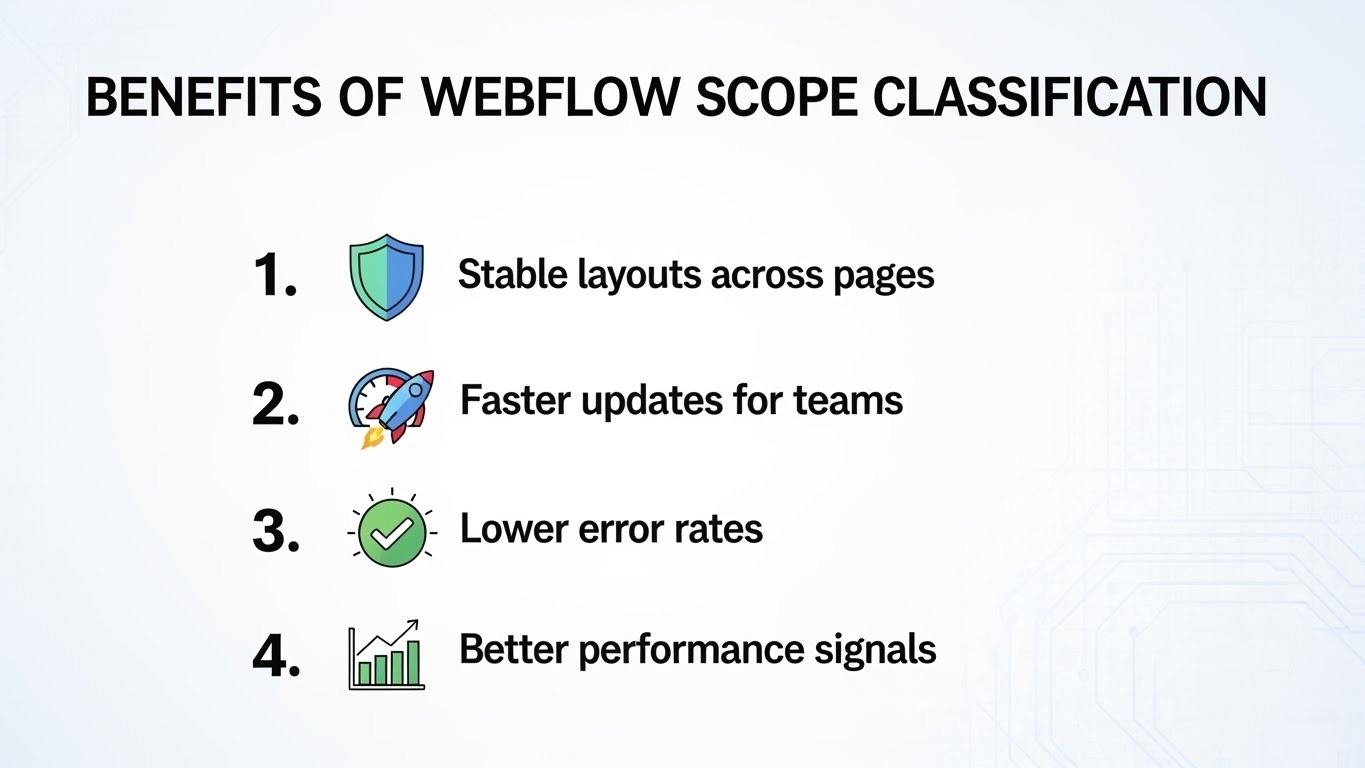
Daily updates feel controlled rather than risky. Long-term maintenance stays manageable even after years of edits and redesigns. Webflow scope also supports search visibility since a clean structure helps pages render clearly and consistently.
- Stable layouts across pages: Design rules stay contained within assigned classes and sections. A spacing or color update affects only intended elements. Page structure remains consistent across templates, landing pages, and content sections.
- Faster updates for teams: editors adjust text, images, or styles without fear of breaking other pages. Clear scope boundaries reduce review cycles. Teams publish updates faster and with fewer revisions.
- Lower error rates: Scoped interactions and forms reduce conflicts between elements. Animations trigger only where defined. Form data flows to the correct destination without overlap or loss.
- Better performance signals: Pages load cleanly with fewer rendering issues. Search engines process clear markup and predictable layout. This structure supports indexing, crawl efficiency, and stable rankings.
OVERVIEW OF WEBFLOW INTEGRATION TOOLS
Webflow integration tools connect site actions with external services through defined and predictable paths. Each integration respects Webflow’s scope, which keeps data, design, and behavior separated. This structure prevents conflicts and avoids loading unnecessary scripts on pages. Integrations extend Webflow features without damaging layout or speed. Teams gain added function while keeping full control over site structure and performance.
- Clean data flow: Form submissions move directly to the intended platform. Field mapping stays consistent. Data reaches the right system without duplication, delays, or missing entries.
- Central site control: Webflow remains the main control layer for design and content. External tools handle focused tasks such as email, payments, or support. This setup avoids scattered site management.
- Scalable setup: Integrations adapt as site needs grow. New tools connect without rebuilding pages. Existing structure remains stable while workflows expand.
NATIVE INTEGRATIONS IN WEBFLOW
Webflow includes native integrations designed to meet common business needs without adding complexity. These integrations follow Webflow's structure and respect scope rules. Each connection works inside the platform rather than around it. Setup stays quick since no extra scripts or manual mapping steps are required. Ongoing maintenance stays low because native tools update alongside Webflow features and hosting changes. This approach keeps sites stable and predictable.
Direct platform support: Analytics, email services, and payment tools connect through built-in options. Data moves through approved paths. There is no need for custom code or external connectors.
Reliable performance: Native integrations load efficiently and align with Webflow hosting standards. Updates to Webflow do not break connections. Pages remain fast and responsive under traffic.
Simple management: Integration settings live inside the Webflow dashboard. Editors manage connections, test data flow, and make updates without switching platforms.
AUTOMATION-BASED INTEGRATIONS FOR WEBFLOW
Automation-based integrations expand Webflow by connecting site activity with external platforms through clear rules. Each workflow starts with a defined event such as a form submission, user signup, or content update. Once triggered, data moves through preset steps without human input. This structure keeps logic visible and easy to review. Teams understand where data goes and why. Automation also supports scale since growing traffic does not increase manual effort.
- Event-driven workflows: A user action on a Webflow page starts a specific process. For example, a form submission creates a contact record, sends a notification, and assigns a task. Each step follows a fixed order.
- Consistent data handling: Fields map once and stay aligned across tools. Names, email addresses, and preferences remain accurate. Clean mapping reduces errors and reporting gaps.
- Reduced manual work: Automation removes repeated tasks like copying data or sending alerts. Teams focus on review and decision-making rather than data entry.
WHY INTEGRATIONS MATTER FOR WEBFLOW USERS
Integrations turn Webflow from a website builder into a complete site system. Each connection links page activity with business tools in a direct way. Marketing teams see leads in real time. Sales teams receive clear contact data.
Support teams respond with full context. Analytics teams track behavior without gaps. Webflow remains the central source where design, content, and data meet. This setup reduces tool switching and keeps workflows organized as traffic grows.
COMMON WEBFLOW INTEGRATION USE CASES
LEAD COLLECTION AND FOLLOW-UP
Webflow forms collect user data in a structured format. Integrations send submissions to email platforms and contact tools without delay. Leads enter follow-up sequences quickly. Teams respond while interest stays high. Clean data improves message timing and relevance.
PAYMENTS AND ORDER MANAGEMENT
Webflow pages connect with payment services for secure checkout. Orders process smoothly. Payment data syncs with records. Teams track revenue, refunds, and order status without manual checks. Customers complete purchases with confidence.
USER SUPPORT AND COMMUNICATION
Chat and messaging tools connect directly with Webflow pages. Visitors contact teams from the page they view. Support agents see page context and user history. Responses stay clear and timely.
ANALYTICS AND USER BEHAVIOR TRACKING
Tracking tools measure visits, clicks, and conversions. Webflow pages deliver a clean structure for accurate reporting. Teams study behavior patterns and improve layout based on real data.
Useful WEBFLOW INTEGRATIONS
Explore essential Webflow integrations that streamline workflows, automate tasks, enhance user experience, and connect marketing, sales, and analytics tools for efficient, scalable website management.
Automate Webflow with Google AI Studio, Gemini, and Zapier Webhooks
This integration sends Webflow form data into Google AI Studio through Zapier webhooks. You organize input, label intent, and trigger workflows with clear logic and no manual sorting.
Klaviyo Integration with Webflow
Klaviyo links Webflow forms with email lists and profiles. You track signups, segment users, and send targeted messages based on page actions and form activity.
Integrate Intercom Acquire with Webflow
Intercom Acquire adds chat to Webflow pages. Visitors start conversations. Support teams reply with full context from page behavior.
Zapier Integration With Webflow
Zapier connects Webflow with many platforms. Each form entry triggers tasks, updates, or alerts across tools with defined steps.
Asana Integration with Webflow Complete Guide
Asana turns Webflow form submissions into tasks. Teams assign work, track progress, and close requests without inbox overload.
Hotjar Integration With Webflow
Hotjar tracks user behavior on Webflow pages. Heatmaps and session recordings reveal clicks, scroll depth, and friction points.
Memberspace Integration with Webflow
Memberspace adds gated access to Webflow pages. You manage users, protect content, and control entry rules with simple settings.
Quire Integration With Webflow
Quire links Webflow submissions with task boards. Feedback and ideas flow into organized lists for review and action.
Webflow Integration with HubSpot
HubSpot syncs Webflow leads with contact records. Sales teams view page visits, form data, and engagement history.
Webflow Integration With GA4 Google Analytics
Google Analytics 4 tracks traffic and events on Webflow sites. You measure visits, actions, and conversions through structured reports.
Zoho Integration With Webflow
Zoho connects Webflow with sales, finance, and support tools. Form data syncs into structured records without duplication.
Stripe Integration With Webflow
Stripe processes payments on Webflow pages. You accept cards, manage orders, and track revenue through secure checkout flows.
Memberstack Integration With Webflow
MemberStack adds login systems to Webflow. Users sign up, log in, and manage profiles with a smooth page flow.
Webflow Mailchimp Integration
Mailchimp syncs with Webflow forms. Subscriber lists update instantly. Campaigns respond to site activity.
Webflow Shopify Integration
Shopify manages products and orders while Webflow controls design. This setup keeps stores flexible and organized.
Slack Integration With Webflow
Slack sends alerts from Webflow forms to team channels. Teams respond fast without switching platforms.
BEST PRACTICES FOR WEBFLOW INTEGRATIONS
Strong integrations start with clear planning and regular review. Webflow works best when each connection has a purpose and follows defined scope rules. These practices help protect performance, data accuracy, and long-term stability.
Plan Data Flow Before Connecting Tools
Define where each piece of data goes before setup begins. Map form fields, triggers, and actions in advance. Clear planning prevents duplication, missed entries, and broken workflows. Webflow scope clarity keeps data organized.
Limit Integrations To Clear Needs
Each added tool increases complexity. Choose integrations with direct value for marketing, sales, or support. Fewer tools reduce errors and improve site speed. Webflow stays focused and efficient.
Test Every Integration Path
Send test submissions through every form and trigger. Confirm data reaches the correct platform. Review field mapping and alerts. Early testing avoids live issues after launch.
Review Integrations Regularly
Remove unused or outdated connections. Check automation logs and delivery status. Regular reviews keep workflows reliable. Webflow performance remains stable as tools change.
Webflow Security And Data Trust
Webflow protects data through secure hosting, encrypted connections, and controlled access. Integrations respect permission limits and role settings. Only approved tools receive data. This structure supports compliance and builds user trust.
Webflow Performance and Page Speed
Webflow loads pages without heavy scripts. Most integrations run in the background after user actions. Page render stays clean and fast. Speed improves engagement and search visibility.
Webflow SEO Value Of Structured Scope
Webflow scope classification supports clean markup and readable layouts. Pages stay consistent across templates. Search engines process structure with clarity. This improves crawl efficiency and ranking stability.
WEBFLOW TRENDS FOR 2025 AND 2026
Webflow continues to evolve as a platform that balances design freedom, structured scope, and seamless integrations. Trends for 2025 and 2026 show how teams will optimize workflows, maintain trust, and improve user experiences while scaling efficiently. Understanding these trends helps businesses plan long-term Webflow strategies and stay ahead of competitors.
Smarter Automation Workflows
Automation is becoming more precise and context-aware. Webflow now integrates with AI-powered services and workflow platforms that can sort submissions, trigger responses, and update records automatically. These workflows reduce manual work, prevent errors, and ensure that data flows exactly where it needs to go. Teams can handle larger volumes of user activity without adding staff, making processes scalable.
Better Privacy Expectations
Users and regulators increasingly expect clear consent and transparent data handling. Webflow ensures that forms, interactions, and integrations comply with privacy standards. Each integration respects scope and access permissions, so sensitive information remains protected. Businesses using Webflow can confidently manage leads, memberships, and payments while maintaining user trust.
Simple Tool Stacks
Teams are moving toward learner tool stacks. Webflow serves as the central hub for design, content management, and integrations, reducing reliance on multiple platforms. A simplified stack improves site performance, minimizes complexity, and keeps workflows consistent. Businesses save time managing fewer tools while maintaining full functionality.
User Behaviour-Led Design
Webflow increasingly supports design driven by real user behavior. Analytics, heatmaps, and session recordings feed insights directly into page layouts and content decisions. Teams can adjust navigation, interactions, and content placement based on what users actually do, creating more engaging and effective websites.
WHY WEBFLOW SUPPORTS LONG-TERM GROWTH
Webflow is designed to help teams build websites that last. Its combination of structured scope, flexible integrations, and intuitive design tools ensures sites remain stable, scalable, and easy to maintain. Businesses can grow their online presence without constantly rebuilding or worrying about layout and data conflicts. Webflow’s system keeps workflows clear, reduces errors, and supports evolving business needs.
Key Reasons Webflow Supports Long-Term Growth:
- Structured Scope for Stability
Webflow’s scope classification ensures that styles, interactions, and content changes stay contained. One update does not break other parts of the site. This protects layout consistency and reduces maintenance time. - Flexible Integrations for Extended Functionality
Webflow connects seamlessly with email platforms, payment systems, CRM tools, analytics, and automation services. Teams expand functionality without compromising site speed or clarity. - Scalable Workflows for Growing Teams
As businesses grow, multiple team members can work simultaneously. Webflow’s structure prevents conflicts and ensures that design, content, and data workflows remain organized and traceable. - Minimal Maintenance Over Time
With clear rules for content and style, long-term edits become simpler. Teams spend less time troubleshooting broken layouts or conflicting scripts. Webflow supports continuous updates without requiring a full rebuild. - Optimized Performance and SEO
Clean, structured pages improve load times and search engine indexing. Webflow’s combination of scope and integration management ensures performance stays high even as content grows. - User-Centric Growth
Webflow allows design and functionality updates based on real user behavior. Teams can scale websites while keeping navigation intuitive, forms effective, and interactions smooth.
This approach makes Webflow a platform that supports not only immediate project goals but also sustainable, long-term website growth for businesses of all sizes.
FINAL THOUGHTS
Webflow stands out as a platform that balances design freedom with structured control, making it ideal for long-term website success. Its scope classification ensures that styles, content, and interactions remain organized, reducing the risk of errors and preserving visual consistency across pages. At the same time, flexible integrations allow teams to connect Webflow with tools for marketing, sales, analytics, and customer support, creating a seamless workflow without overwhelming the site.
By combining structure with extensibility, Webflow enables teams to scale websites efficiently. Businesses can add new pages, campaigns, or features without disrupting existing layouts or workflows. Clear data flow, reliable performance, and clean markup support not only team productivity but also SEO, page speed, and user experience.




.svg)
.svg)
.svg)
.svg)
