
A recent Google Gmail update changes a long-standing rule. You can now change your Gmail address without starting over. This is a significant shift. For years, your Gmail address was permanent. To get a new one, you needed a new account and lost your old data. This new feature fixes that problem. But it also introduces new security risks you must understand.
Here, we will explain the update, its limits, and the critical phishing dangers that come with it.
What This Google Gmail Update Does
The core of this Google Gmail update is a new feature called an email address alias. Google now lets you add a new primary address to your existing account. You keep your current inbox, contacts, and purchases. Your data moves with you. The old address becomes an alias. This means you can still receive emails sent to your old name.
The process is designed for simplicity. You go to your Google account settings. You find the option to add a new email address. You pick a new available name. Google then links it to your profile. This addresses a major user complaint over the platform’s history.
The Four Key Limits You Should Know
This Google Gmail update comes with specific restrictions. Knowing these details prevents frustration and helps you plan your change correctly. Here are the four main limits explained in full.
1. Personal Accounts Only
This feature is for personal Google accounts. It does not work with Google Workspace accounts. These are accounts given by your school, your job, or any other organization. If your email ends with your company's domain, this update does not apply to you. You must use a standard @gmail.com account that you created yourself. This is because organizations have their own administrators who control email addresses.
2. No Reusing Deleted Addresses
You cannot bring back an old Gmail address you deleted in the past. The new address you choose must have never existed before on Gmail. Once a Gmail username is deleted, it goes back into the pool of available names. But Google blocks its reuse for a very long time, often years, for security and privacy reasons. This tool cannot bypass that rule. If you want your old name back, you will find it is not an option.
3. Your New Address Must Be Unique and Available
Your chosen new address must be unique. It must follow all the standard rules for creating a Gmail address. This means it must be available, contain only letters, numbers, or periods, and have no special characters. You cannot claim a name someone else is using. The platform checks name availability instantly. If your desired name is taken, you will need to try a different variation. You might need to add numbers or use a different format.
4. The Seven-Day Security Lock
This is the most important limit. After you make a new address your primary one, a seven-day lock period begins. During this week, you cannot change the primary address back to the old one. This cooling-off period is a security measure. It is designed to slow down an attacker who might get into your account. It gives you time to notice an unauthorized change and recover your account. You can still use your old address to send and receive email as an alias. However, you cannot immediately reverse the primary switch. Plan your change carefully because you are committed for one week.
Why Google Made This Change
This Google Gmail update responds to direct and long-standing user needs. It solves real problems people face with a digital identity that feels permanent. Before, the cost of change was too high. Now, Google provides a practical solution.
- Life Events Happen. Your name changes through marriage or divorce. An old address like "coolguy1995@gmail.com" feels unprofessional for a work resume. This update lets your email evolve with you.
- Security and Privacy Concerns. You may have an address that reveals too much personal information, like a full birthdate or an old nickname. This makes you a target. Creating a more neutral address improves your safety.
- The Pain of Starting Over. Switching to a new account meant losing your email history, Google Drive files, Play Store purchases, and linked accounts. Few people could afford that loss. This change preserves your entire digital history.
- Adapting to User Behavior. Google recognizes that people need flexibility. An email address should be a tool, not a life sentence. This update brings Gmail in line with how people actually live and work online over many years.
The Hidden Danger: A Phisher's New Opportunity
This Google Gmail update has a critical security downside. It creates a powerful new tool for phishing scams. Phishing is when criminals impersonate trusted sources to steal your data. Here is how this feature changes the game for scammers.
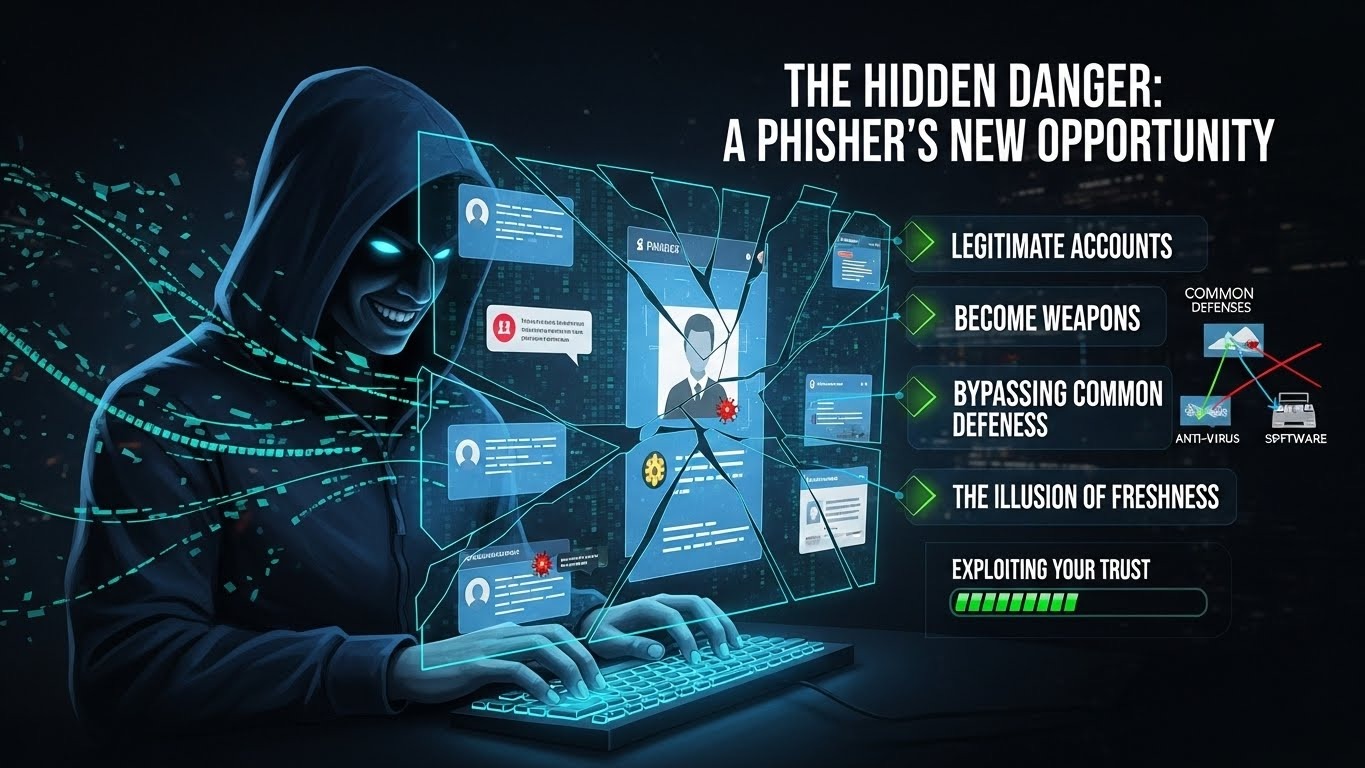
- Legitimate Accounts Become Weapons. A hacker can take over an old, inactive account. They add a new, clean primary address to it. The account has a real sending history, which makes it trusted by spam filters. It becomes the perfect vehicle for scams.
- Exploiting Your Trust. You receive an email from a friend's new Gmail address. The message appears genuine because it originates from Google's servers. It asks you to click a link or send money. You are far more likely to believe it.
- Bypassing Common Defenses. Email filters often check an account's age and reputation. A brand-new account is treated with suspicion. An old account with a new address slips through these defenses more easily. This makes the phishing attempt more likely to land in your main inbox.
- The Illusion of Freshness. The scammer's new address on the old account has no blacklist history. Security systems have no prior data to flag it as malicious. This gives the attacker a crucial window to launch their campaign before defenses catch up.
How to Protect Yourself from These Phishing Risks
Protection starts with awareness. This Google Gmail update makes new scams possible. Apply these steps to your account. Stay alert to emails from others.
Turn On Two-Factor Authentication
Enable two-factor authentication (2FA) in your Google account. You must enter a code sent to your phone during sign-in. It is the strongest barrier against criminals accessing your account to add a new address.
Check Your Account Aliases Monthly
Review your Google account security settings often. Look at the email section under Personal Info. Check for any unfamiliar addresses or aliases you did not add. Immediate detection is key.
Verify Requests from New Addresses
Be suspicious of sudden address changes from contacts. If you get an email from a friend's new Gmail address asking for money or information, verify it another way. Call them or send a text. Do not reply only to the email.
Type URLs, Do Not Click Links
Do not click links in unexpected emails. If a message asks you to log into a site, go there directly. Open a new browser window and type the website address yourself. This avoids malicious links.
Use a Unique, Strong Password
Ensure your Google account password is strong and used only for Google. Do not reuse this password on other websites. A password manager can help you create and store unique passwords.
Educate Friends and Family
Tell people you know about this update. Explain that you might change your address. Agree on a method to verify unusual requests, like a code word sent via text. Shared knowledge improves safety for everyone.
Steps to Add Your New Gmail Address Safely
If you want to use this Google Gmail update, follow this safe path.
- Prepare Your Account. Before you start, ensure your account recovery options are current. Check your phone number and backup email address. These are essential for account recovery.
- Navigate to Settings. Launch your internet browser and visit your Google Account page. Click on Personal info. Find the email section.
- Initiate the Change. Select the option to add a new email address. Follow the prompts to choose your new available name.
- Acknowledge the Lock. Remember the seven-day lock period. You cannot reverse this primary change for one week. Confirm you understand.
- Watch for Confirmation. Once you add the address, Google will send a confirmation email. Watch for this email. If you get this message but did not request a change, this is a warning sign that someone else is in your account. Act immediately to secure it.
Looking Ahead: The Future of Your Email Identity
This Google Gmail update is a significant step toward a more fluid online identity. It separates your account's content from your email address. This shift will likely influence how we manage our digital selves. Here is what this change signals for the future.
- The Hub and Spoke Model. Your Gmail account is becoming a central hub. Your various email addresses act as spokes. You can add or update these spokes without losing your core data, like photos, purchases, and drive files. This model offers more stability.
- Other Services Will Follow. Major email providers often copy useful features. We may see similar update options from Outlook, Yahoo, and others. This could make changing your email identity a common standard across the internet.
- Identity Becomes More Portable. Your online history, stored in your account, becomes portable. You are not locked into an awkward or outdated email address just to keep your digital life. This supports people through life changes like marriage, career shifts, or rebranding.
- Security Shifts to Active Measures. Trust will rely less on a familiar, old email address. It will depend more on active security practices. Enabling two-factor authentication and checking login alerts will become even more critical as identifiers become more flexible.
- A New Layer of Social Vigilance. Everyone must become more alert. An email from a known contact will require a moment of extra thought. Is this their usual address? Does the request make sense? This update makes collective awareness a necessary part of online safety.
The key takeaway is control. You have more control over your email name. Criminals also have new ways to exploit trust. Your consistent vigilance is the price of this new flexibility. Keep your security settings updated. Pay attention to the emails you receive. Educate your friends and family about this change.
Final Thoughts on the Google Gmail Update
The new Google Gmail update solves a real problem. It lets you refresh your email identity without loss. Yet it also requires increased user awareness. Ease of use and protection need careful balance. Use the feature to improve your online presence. At the same time, guard against the phishing risks it introduces. Stay informed, stay secure, and make the most of this new flexibility in your digital life.



.svg)
.svg)
.svg)
.svg)
