
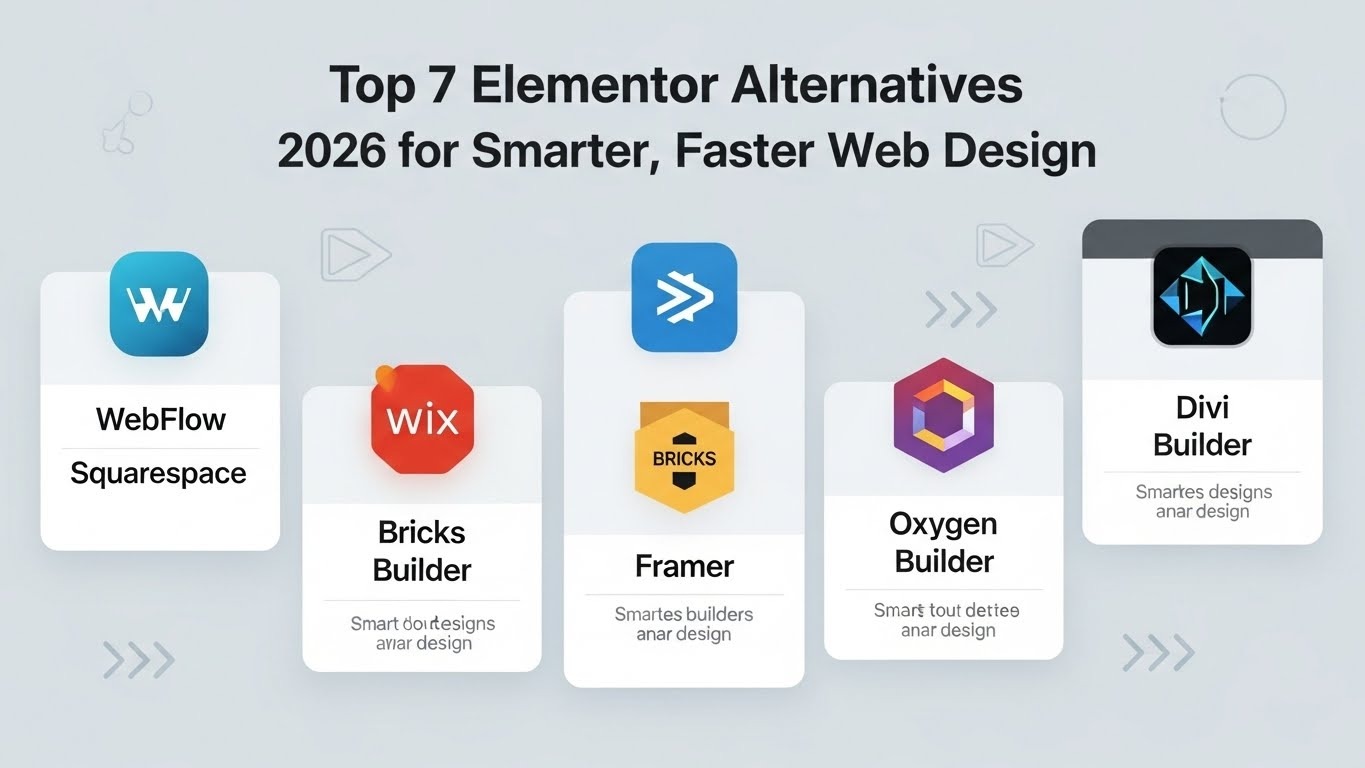
If you’re searching for Elementor Alternatives, you likely want a platform that offers speed, control, and scalability without the usual WordPress headaches. Elementor made web design approachable, but in 2026, teams need more than drag-and-drop. They need solutions that let creative teams move fast, scale efficiently, and maintain clean code. Here, we will explore the top 7 Elementor Alternatives that outperform Elementor in performance, workflow, and autonomy.
Why Look Beyond Elementor?
Elementor is one of the most popular WordPress page builders, but its convenience comes with trade-offs. Many teams find that it slows workflows and limits growth. Brands are increasingly exploring Elementor Alternatives for speed, flexibility, and efficiency.
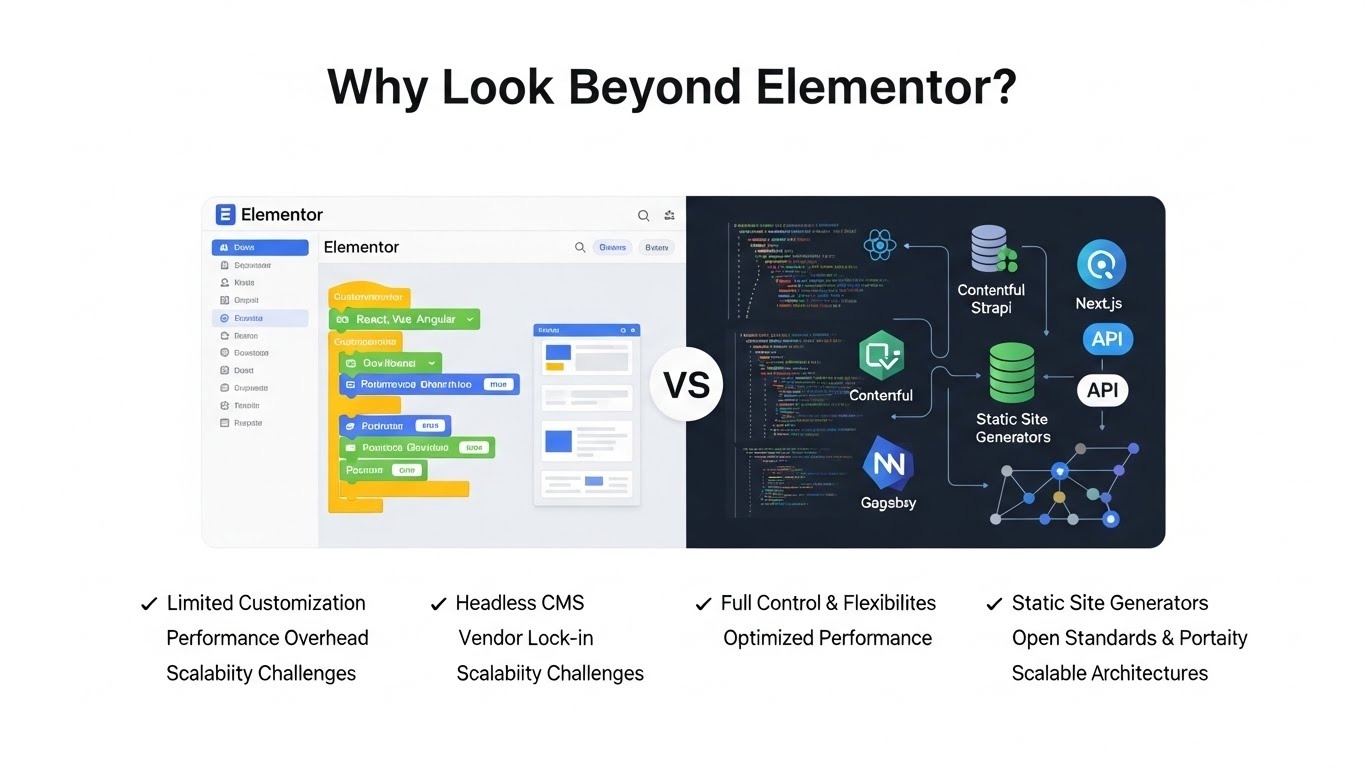
Here’s a closer look at the main reasons teams are moving away from Elementor:
Developer dependency slows launches
Even with drag-and-drop tools, complex layouts or unique features often require coding. A small change like customizing a header, adding dynamic content, or implementing advanced animations can trigger a developer ticket. For fast-moving teams, this dependency can delay launches, frustrate designers, and create bottlenecks in project timelines.
Plugin clutter compromises speed and security
To cover everything from pop-ups and forms to caching, SEO, and analytics, Elementor relies on multiple plugins. Each plugin adds code, increasing page weight and slowing load times. More plugins also mean more security vulnerabilities and update conflicts. Over time, this can degrade performance and increase maintenance overhead.
Designers need agility
Creative teams need freedom to experiment with layouts, components, and interactions. Elementor’s predefined structures and limitations can restrict design flexibility. Teams often spend extra time adjusting templates or fighting CSS conflicts, which reduces creativity and slows the design process.
Marketers need built-in CMS and SEO tools
Elementor separates content editing, SEO optimization, and page layout into different tools. Marketers must switch between Elementor, WordPress, and plugins to update content, optimize metadata, or check SEO performance. This fragmented workflow increases complexity and leaves room for errors, making content management less efficient.
Performance and scalability concerns
As websites grow, Elementor-built sites can become heavier and slower due to additional scripts and styles. Scaling complex sites often requires costly optimization, caching, or server upgrades. Teams seeking fast, reliable websites prefer alternatives that produce clean, lightweight code from the start.
Cost and licensing issues
Elementor Pro is subscription-based, and adding multiple sites or extended features can become expensive. Some alternatives offer built-in capabilities, reducing dependency on multiple plugins and costly licenses.
Mobile optimization limitations
While Elementor is responsive, fine-tuning mobile layouts can be tricky. Adjusting elements for tablets or phones sometimes requires manual CSS tweaks. For teams focused on mobile-first design, this slows the workflow and increases testing requirements.
Future-proofing and flexibility
Web standards evolve quickly. Sites built with Elementor may face limitations with custom integrations, advanced animations, or headless CMS setups. Alternatives often provide cleaner code, modern APIs, and better long-term flexibility.
Quick Comparison of Top 7 Elementor Alternatives
Below, we will discuss each alternative with full details.
1. Webflow – The Design and Performance Standard
Webflow gives you total design freedom while producing clean, optimized code. You can visually create layouts, animations, and responsive pages without heavy reliance on developers. It combines design, CMS, and hosting in one platform, making it a strong Elementor Alternative for agencies, scaling businesses, and teams focused on fast deployment and high-performance websites.
Platform Type:
SaaS, all-in-one
Core Features:
- Visual drag-and-drop editor for precise design control: Build and arrange layouts, sections, and elements easily without coding, allowing full creative freedom and faster page creation.
- Built-in CMS for managing dynamic content efficiently: Handle blogs, product listings, portfolios, and other dynamic content seamlessly within the platform.
- Hosting included with reliable performance and SSL security: Websites are hosted securely, ensuring fast load times and encrypted connections out of the box.
- Responsive design tools for mobile, tablet, and desktop: Automatically adjust layouts for all devices, providing a consistent user experience.
- SEO-friendly structure with customizable meta tags and URL slugs: Optimize pages for search engines, improving indexing and visibility.
- Flexible animations, interactions, and micro-animations without coding: Enhance user engagement with transitions, hover effects, and interactive components.
- Reusable components and global styles for consistent design: Save time with reusable templates, buttons, and style settings across multiple pages.
- Integrations with marketing, analytics, and third-party apps: Connect tools like Google Analytics, CRM systems, and marketing platforms to streamline workflow and data tracking.
Ideal For:
- Agencies managing multiple clients who need fast, professional launches.
- Scaling businesses that require reliable hosting and maintainable sites.
- Designers want full creative control without heavy developer dependency.
- Teams looking to combine design, content management, and SEO in one platform.
Pros:
- Fast, responsive designs: Optimized code ensures quick page loads and smooth navigation
- No plugin dependency: Built-in CMS, animations, and SEO reduce maintenance risks
- SEO-friendly structure: Clean HTML and structured data help search engine indexing
- Reusable components and global styles: Consistency across pages saves time
- Built-in CMS and content management: Streamlines dynamic content creation
- Flexible animations and interactions: Advanced design without coding
- Reliable hosting included: Secure and scalable with minimal downtime
- Extensive template library: Accelerates launch with professionally designed layouts
Cons:
- Steeper learning curve: Robust features may overwhelm beginners
- Paid plans required for full features: Free tier is limited
- Some integrations are restricted: Certain APIs need workarounds
- Advanced features may require coding: Complex interactions may need developer input
- Collaboration features are basic: Limited real-time team editing
- Smaller support community: Less guidance than the WordPress ecosystem
2. Squarespace – Managed Design for Peace of Mind
Squarespace delivers polished, responsive websites with minimal setup. It handles hosting, security, and updates automatically, allowing teams to focus on content and design. With its modern templates and integrated tools, Squarespace is a strong Elementor Alternative for small businesses, creative portfolios, and teams who prioritize aesthetics, simplicity, and reliable performance without technical overhead.
Platform:
SaaS, fully managed
Core Features:
- Drag-and-drop visual editor with modern templates: Build and customize layouts easily using a visual editor, applying stylish templates that suit any brand or project without coding knowledge.
- Built-in hosting with SSL and security: Websites are hosted securely on Squarespace servers, with SSL certificates included to protect user data and ensure reliable performance.
- Mobile-responsive design by default: Templates automatically adjust for mobile, tablet, and desktop screens, providing a consistent user experience across devices.
- Integrated CMS for blogging and content updates: Manage articles, pages, and multimedia content seamlessly within the platform, streamlining content publishing.
- Built-in SEO tools for metadata and sitemaps: Optimize each page with meta descriptions, titles, and automated sitemaps for better search engine visibility.
- E-commerce and product management features: Sell physical or digital products directly from your site, with tools to manage inventory, payments, and shipping.
- Analytics dashboard for traffic and engagement insights: Monitor website performance, user behavior, and marketing campaigns in one central dashboard.
- Marketing integrations with social media and email platforms: Connect your website to social accounts and email tools to streamline campaigns and audience engagement.
Ideal For:
- Small businesses seeking professional websites
- Creatives and artists building portfolios
- Individuals without technical expertise
- Marketing teams need built-in SEO and analytics
Pros:
- Built-in hosting and CMS: Eliminates separate hosting and simplifies management
- Stylish, professional templates: High-quality, ready-made layouts save time
- Fully mobile-responsive: Pages display consistently on all devices
- Security and updates managed automatically: Reduces maintenance effort
- Drag-and-drop simplicity: Intuitive page building for all skill levels
- Integrated SEO tools: Optimized metadata and structured URLs improve rankings
- E-commerce ready: Sell products and manage orders easily
- 24/7 customer support: Guides and assistance for troubleshooting
Cons:
- Less customization than Webflow: Limited advanced design options
- Limited third-party integrations: Some tools may require workarounds
- Cannot export full code easily: Difficult to migrate websites
- Fewer advanced design options: Template constraints restrict creativity
- Subscription required for full functionality: Free plan limitations exist
- Less developer control: Custom coding options are restricted
3. Wix Studio – Pro-Level Design Made Easy
Wix Studio combines simple drag-and-drop design with professional-level capabilities. Teams can create responsive websites with animations, SEO tools, and e-commerce support. Its intuitive interface allows designers and marketers to launch visually appealing sites quickly, making Wix Studio a reliable Elementor Alternative for startups, small businesses, and creative entrepreneurs looking for speed and flexibility without technical complexity.
Platform:
SaaS, cloud-grid design
Core Features:
- Drag-and-drop visual editor for layout control: Design pages easily by moving elements, adjusting sections, and customizing layouts without writing code, giving full creative control.
- Advanced animations and interactive elements: Add motion effects, hover animations, and interactive features to make websites engaging and visually dynamic.
- Pre-designed responsive templates: Use professionally designed templates that automatically adapt to desktops, tablets, and smartphones, speeding up project setup.
- Mobile-responsive and cross-browser compatible: Ensure consistent appearance and functionality across all devices and major web browsers.
- Built-in SEO and marketing tools: Optimize websites with meta tags, sitemaps, analytics, and marketing integrations to boost visibility.
- Integrated hosting and domain management: Host sites securely on the platform and manage domains directly, simplifying maintenance and deployment.
- E-commerce and payment gateways: Sell products online with integrated store management, checkout, and multiple payment options.
- Team collaboration and user management features: Allow multiple team members to work together efficiently with role-based access and project controls.
Ideal For:
- Startups needing fast professional websites
- Small businesses without dedicated technical teams
- Creative entrepreneurs focusing on branding
- Teams requiring responsive, visually appealing pages
Pros:
- Intuitive drag-and-drop editor: Quickly build complex layouts
- Advanced animations and transitions: Engaging interactive elements
- Scalable templates: Adaptable for growing content needs
- Responsive mobile design: Optimized for phones and tablets
- Built-in SEO tools: Easy metadata and page structure management
- Hosting included: Simplifies setup and reduces server issues
- E-commerce support: Sell products without additional tools
- Fast deployment: Ready-made templates accelerate project timelines
Cons:
- Code export is limited: Sites are hard to migrate
- Performance may suffer on complex pages
- Template flexibility is restricted
- Smaller support community than WordPress
- CMS for dynamic content is less robust
- Paid subscription required for full features
4. Framer – Interactive Storytelling Platform
Framer is a design-to-live platform focused on interactivity and prototypes. Designers can turn concepts into fully functional websites with animations and dynamic content quickly. It produces clean code and allows marketing teams to experiment with interactive elements, making Framer a compelling Elementor Alternative for product teams, marketers, and creators who prioritize modern, responsive, and engaging user experiences.
Platform:
SaaS, design-to-live
Core Features:
- Live previews with instant updates: See changes in real-time as you edit, allowing immediate feedback and faster iteration without publishing.
- Drag-and-drop interactive components: Easily add buttons, sliders, and dynamic elements to create engaging and functional layouts.
- Clean, lightweight code output: Generates optimized code that ensures fast loading times and improved performance.
- Modern, responsive templates: Use professionally designed templates that adapt seamlessly to all devices.
- Animation and motion design tools: Create visually engaging transitions, micro-interactions, and motion effects without coding.
- Collaboration tools for team projects: Teams can work together, comment, and iterate on designs efficiently.
- Built-in SEO settings: Optimize metadata, headings, and page structure to improve search engine visibility.
- Integration with analytics and marketing platforms: Connect to tools for tracking user behavior and running marketing campaigns effectively.
Ideal For:
- Product teams building interactive websites
- Marketing teams are creating campaigns
- Designers focusing on animations and storytelling
- Creators needing responsive, dynamic layouts
Pros:
- Instant previews: Test changes live without publishing
- Interactive components: Engage users with motion and interactivity
- Lightweight code output: Optimized performance and faster load times
- Modern templates: Professional starting points for web projects
- Drag-and-drop simplicity: No coding needed for basic layouts
- Responsive design tools: Mobile, tablet, and desktop ready
- Collaboration tools: Teams can review and iterate on designs efficiently
- Built-in SEO: Helps sites rank without extra plugins
Cons:
- Less traditional CMS flexibility: Limited content management for blogs
- Learning curve for new users: Interactive features require adjustment
- Limited e-commerce options: Not ideal for full online stores
- Smaller template library than competitors
- Advanced animations may need code knowledge
- Paid plans are required for full functionality
5. Bricks Builder – Performance-First WordPress Alternative
Bricks Builder is a WordPress-first platform designed for performance and developer control. It produces lightweight, clean code while offering flexibility for complex layouts. Teams can create responsive pages, dynamic content, and advanced templates without excessive plugins, making it a strong Elementor Alternative for WordPress developers and agencies focused on speed and maintainability.
Platform:
WordPress builder
Core Features:
- Drag-and-drop visual editor: Build and customize layouts visually without coding, making it easier for designers and marketers to create complex pages quickly.
- Clean, optimized WordPress code: Generates lightweight, efficient code that reduces load times and improves overall site performance.
- Flexible grid system for layouts: Allows precise placement of elements for responsive and professional designs.
- Dynamic content integration: Supports CMS-driven content like blogs, products, or portfolio items seamlessly.
- SEO-friendly structure: Clean code and proper HTML tags enhance search engine indexing and ranking.
- Reusable components and templates: Save time by reusing design elements and layouts across multiple pages.
- CSS and JS control: Full control over styles and scripts for advanced customization.
- Plugin-light approach for faster performance: Minimal dependency on plugins reduces maintenance, security risks, and page bloat.
Ideal For:
- WordPress developers creating optimized websites
- Agencies needing flexible page layouts
- Teams focusing on site speed and performance
- Designers who want precise control over CSS and JS
Pros:
- Fast-loading pages: Optimized code ensures quick site performance
- Full CSS and JS control: Precise customization without plugin bloat
- Flexible grid and layouts: Create complex responsive designs easily
- Dynamic content support: Manage blogs, products, and CMS data efficiently
- SEO-friendly: Clean code supports indexing and ranking
- Reusable components: Save time on design updates
- Lightweight: Minimal plugins reduce security and maintenance issues
- Active development and updates: Regular improvements and bug fixes
Cons:
- Steep learning curve for beginners
- Smaller community than Elementor
- Limited ready-made templates
- Advanced features require coding knowledge
- Fewer built-in integrations than other platforms
- Paid subscription required for full functionality
6. Oxygen Builder – Developer-Grade Precision
Oxygen Builder provides complete control for developers building WordPress websites. It avoids unnecessary code, produces lightweight pages, and supports complex templates and integrations. Oxygen is ideal for tech-savvy designers and teams seeking a performance-first Elementor Alternative with full flexibility and precise coding capabilities.
Platform:
WordPress framework
Core Features:
- Full code control over pages: Developers can modify every page element, structure, and functionality, giving complete precision and flexibility for custom websites.
- Lightweight, optimized page output: Generates clean, fast-loading code, improving performance, user experience, and SEO.
- Advanced templating options: Create reusable templates for pages, headers, footers, and dynamic content efficiently.
- Customizable CSS and JS: Full styling and scripting control to implement unique designs and behaviors.
- Responsive design tools: Ensure layouts adapt perfectly across mobile, tablet, and desktop devices.
- Dynamic content and CMS support: Manage blogs, products, and other content dynamically without additional plugins.
- SEO-friendly structure: Clean code and semantic HTML enhance search engine indexing and ranking.
- Integration with third-party APIs: Easily connect external tools, analytics, or marketing services for extended functionality.
Ideal For:
- Advanced WordPress developers
- Tech-savvy designers needing precise layouts
- Teams focused on speed and lightweight pages
- Projects requiring full template customization
Pros:
- Complete code control: Developers can modify every element
- Lightweight and fast: Optimized performance improves load times
- Advanced templating: Reusable and dynamic templates for complex sites
- SEO-friendly: Clean code and structured data help rankings
- Dynamic content support: CMS and data-driven layouts
- Flexible styling: Full CSS and JS customization options
- Minimal plugin dependency: Reduces maintenance and security risks
- Integration-ready: Works with APIs and external tools easily
Cons:
- No built-in blogging features
- Steep learning curve
- Smaller community than Elementor
- Advanced customization requires coding knowledge
- Limited ready-made templates
- Paid subscription required for full functionality
7. Divi Builder – Design and Data Optimization
Divi Builder merges visual design with marketing optimization. It allows teams to build responsive pages while tracking conversions and performance. With global modules, split testing, and built-in analytics, Divi is an effective Elementor Alternative for marketing teams, agencies, and designers who want both creative flexibility and actionable insights.
Platform:
WordPress builder
Core Features:
- Visual drag-and-drop editor: Build and edit page layouts intuitively without coding, placing elements exactly where you want them.
- Global modules for consistent design: Reuse components across pages to maintain brand consistency and save design time.
- Split testing and analytics tools: Test different layouts or content versions and analyze results to optimize conversions.
- Responsive design capabilities: Ensure websites look and function perfectly on desktop, tablet, and mobile devices.
- Extensive template library: Access professionally designed templates for faster project launches and creative inspiration.
- Built-in SEO features: Manage meta tags, URLs, and sitemaps to improve search engine rankings.
- E-commerce integration: Set up online stores, manage products, and handle payments without external tools.
- Dynamic content support: Display changing or personalized content using CMS data for blogs, portfolios, or product pages.
Ideal For:
- Marketing teams optimizing website performance
- Agencies managing multiple client sites
- Designers seeking flexible page layouts
- Teams needing analytics-driven design decisions
Pros:
- Visual editor: Build and edit layouts without coding
- Split testing tools: Optimize pages based on performance data
- Global modules: Maintain consistent design across multiple pages
- Responsive design: Mobile-friendly layouts automatically applied
- SEO-friendly: Meta tags and clean URLs for better rankings
- Extensive templates: Quick starting points for projects
- E-commerce ready: Sell products with minimal setup
- Continuous updates and support: Keeps platforms secure and current
Cons:
- Heavier code than Bricks or Oxygen: May affect page speed
- Paid subscription required for full access
- Slower performance on large websites
- Less precise code control for developers
- Some templates require customization for originality
- Smaller developer community compared to WordPress norms
Final Thoughts on Elementor Alternatives
Switching from Elementor to any of these platforms depends on your team’s needs. Webflow offers full autonomy and clean code. Squarespace gives worry-free aesthetics. Wix Studio balances simplicity with professional design. Framer adds interactivity, while Bricks and Oxygen Builder provide performance-first WordPress solutions. Divi Builder blends design and analytics for marketers.
By choosing the right Elementor Alternatives, you can streamline workflows, reduce plugin clutter, and empower your team to deliver faster, smarter websites in 2026 and beyond.



.svg)
.svg)
.svg)
.svg)
