Cookiebot is one of the most well-known tools for handling cookie consent and website privacy rules. Many website owners rely on it to manage user consent, control cookies, and meet legal expectations without stress. It offers scanning, consent banners, and reporting that work well for many sites.
Still, no single tool fits everyone. As websites grow, budgets change, and audiences expand across regions, some site owners start looking for other solutions. Our guide will explain strong alternatives in detail, helping you choose a compliance tool that fits your site, your users, and your long-term goals.
Why Website Compliance Is No Longer Optional
Website privacy rules are enforced more strictly than ever, and users are more aware of how their data is handled. Visitors now expect websites to be honest, offer clear consent choices, and respect privacy from the first interaction. Compliance now goes beyond simply avoiding fines or legal action. It directly affects trust, engagement, and brand reputation.
When websites ignore consent rules, several problems appear:
Visitors feel unsafe They leave faster and rarely return
Brands lose credibility Rebuilding trust takes time and effort
Legal risks increase Fines can seriously harm small businesses
User engagement drops People avoid interacting with the site
Revenue opportunities shrink Lost trust leads to fewer conversions
A proper compliance tool supports both the website owner and the visitor. It creates transparency, reduces confusion, and helps build long-term trust through clear and honest data practices.
Why Many Website Owners Start With Cookiebot
Many website owners choose Cookiebot first because it is widely recommended, easy to discover, and trusted by many businesses. It offers automated cookie scanning, clear consent categories, and region-based compliance handling, which makes the early setup feel manageable. For beginners, it removes much of the guesswork around cookie consent and privacy rules.
Website owners like it because:
It scans cookies automatically This reduces manual work and saves time
Consent logs are stored securely Helpful for records and audits
It supports major privacy rules Covers common compliance requirements
It works well for small to medium sites No advanced skills needed
However, as websites grow or traffic increases, some users begin to notice limits related to cost, flexibility, or customization. At that stage, exploring alternatives becomes a practical next step rather than a complaint about the tool itself.
Common Reasons Users Look for Cookiebot Alternatives
Switching tools is not always driven by dissatisfaction. In many cases, it reflects a natural shift in website needs. As traffic grows, content expands, or business goals change, what once felt like the right solution may no longer fit as well. A tool that worked perfectly at the beginning can start to feel restrictive, costly, or harder to manage.
Common reasons include:
Cost increases as traffic grows
Pricing scales quickly, which can strain small or growing budgets
Limited banner design freedom
Branding options may not fully match the website style
Features feel excessive
Simple websites often do not need advanced controls
The setup becomes harder to manage
More settings require more time and attention
Support needs change
Growing websites expect faster and more direct assistance
Performance concerns appear
Extra scripts can affect page speed
Different priorities emerge
Ease of use or flexibility becomes more important than automation
These factors lead website owners to explore alternatives that better align with their current size, audience, and long-term direction, rather than continuing with a tool that no longer supports efficient growth.
What Makes a Strong Website Compliance Tool
Before reviewing alternatives, it is important to understand what separates a helpful compliance tool from a frustrating one. A strong tool should protect user privacy while remaining easy to use. It should support compliance without slowing down the website or creating confusion for visitors.
Key qualities include:
Clear consent choices
Users quickly understand what data is collected and why
Simple setup process
No technical knowledge or long configuration steps
Reliable and regular updates
Keeps pace with changing privacy rules and standards
Honest data handling
No hidden tracking or unclear data sharing
Flexible banner design
Matches the website’s branding and layout
Accurate consent logging
Stores user choices clearly for future reference
Fast performance
Does not slow page loading or affect user experience
Easy management dashboard
Settings are clear and quick to adjust
Responsive support resources
Help is available when issues arise
The best compliance tools work quietly in the background. They keep websites compliant while allowing visitors to browse comfortably and confidently, without unnecessary interruptions or delays.
Best Cookiebot Alternatives for Website Compliance
Each option below offers a different balance of simplicity, control, and cost. The right choice depends on how your site operates.
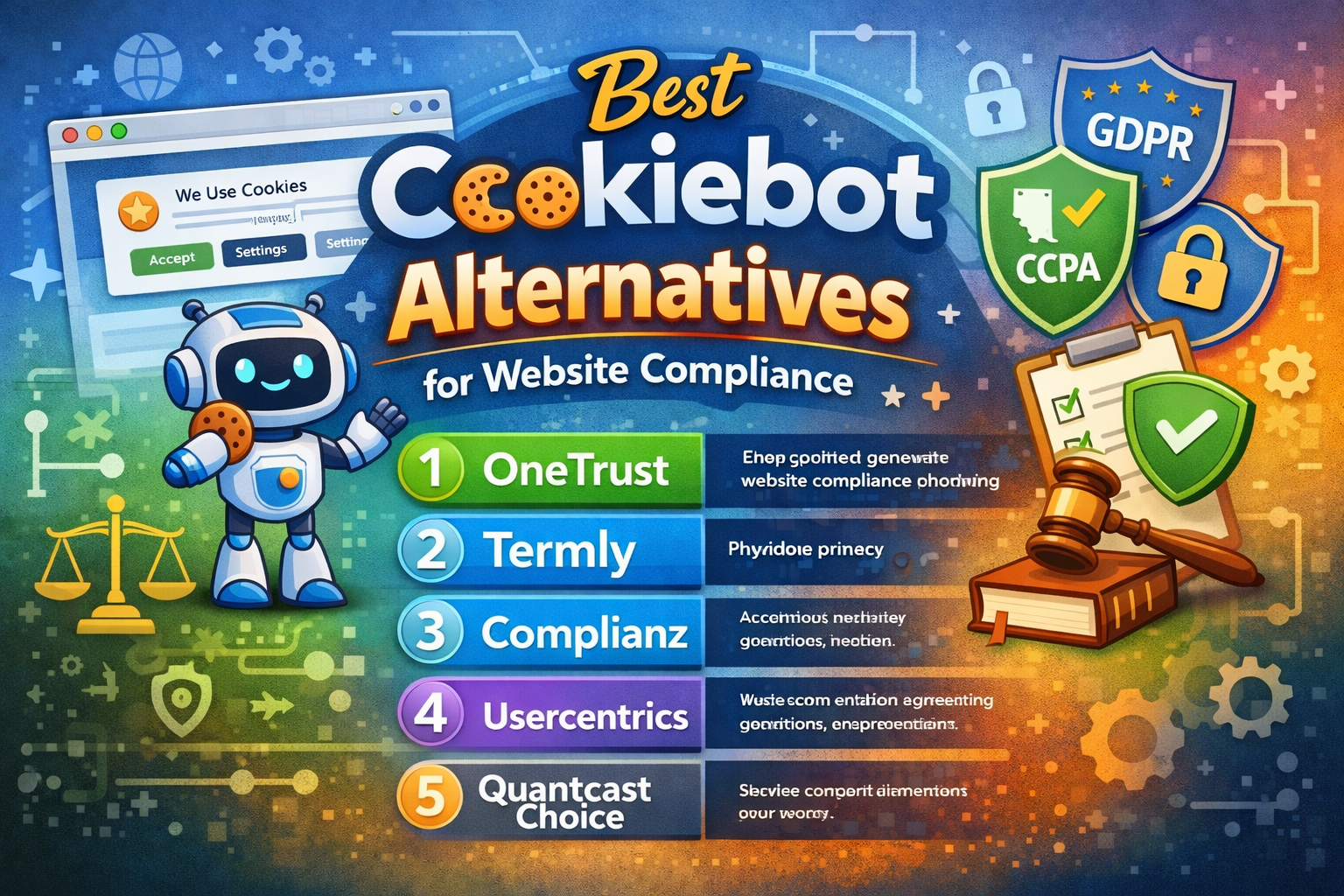
OneTrust
OneTrust is often chosen by large organizations that manage complex websites and handle large amounts of user data. It focuses heavily on documentation, reporting, and structured internal compliance processes. Because of this, it is commonly used by enterprises that need detailed control and proof of compliance across multiple teams or regions.
Why businesses choose it:
Advanced consent controls: Allows detailed control over how and when consent is collected
Suitable for complex websites: Works well with large platforms and multiple domains
Detailed reporting tools: Helps track user consent and compliance status
Useful for audits and reviews: Clear records support internal checks
Strong privacy framework: Built to meet strict regulatory expectations
Designed to scale: Supports growth without losing structure
Downside of OneTrust
Complex setup and configuration: OneTrust has many features and settings, which can take time to learn and adjust.
Higher cost: Pricing is often expensive for small businesses or sites with low traffic.
Overkill for simple sites: Small blogs or basic websites may not need the depth of control it offers.
Requires training and support: Teams may need time and help to use all features correctly and confidently.
OneTrust is best suited for enterprises, corporations, and regulated industries. For small blogs, personal websites, or startups, it may feel too complex and time-consuming compared to simpler compliance tools.
Termly
Termly focuses on ease of use and clear guidance, which makes it a popular choice for small businesses, freelancers, bloggers, and content creators. It is designed for users who want to meet privacy requirements without wrestling with complex settings or technical steps. The platform keeps everything simple while still covering essential compliance needs.
What makes it appealing:
Simple setup process Users can get started quickly without technical knowledge
No coding or advanced skills needed Everything is managed through a clean, easy interface
Straightforward pricing structure There are no hidden costs, plans are straightforward, simple to understand
Clear policy generation tools Saves time by creating privacy and consent content
Easy updates and changes Policies and settings can be adjusted in minutes
Beginner-friendly support Helpful guides and easy explanations
Downside:
Limited advanced features Not ideal for complex compliance needs
Basic customization options Banner design and layout choices may feel too simple for some brands
Scaling limitations May not suit larger websites with heavy international traffic
Fewer detailed reports Not as strong for audit-ready documentation
Termly works best when speed, simplicity, and clarity matter more than advanced customization. For small websites, blogs, or one-person businesses, it offers an efficient and budget-friendly way to stay compliant without unnecessary complexity. However, larger sites may eventually need something more robust as their needs grow.
Complianz
Complianz is designed for website owners who want flexible cookie consent that adjusts based on user location. It is especially popular among WordPress users and websites with international visitors. The tool focuses on clarity, automation, and compliance while keeping the setup process manageable for non-technical users.
What makes it appealing:
Location-based consent handling Adjusts consent rules automatically based on the visitor region
Guided setup process Step-by-step configuration reduces confusion
Strong WordPress integration Works smoothly with most WordPress themes and plugins
Clear consent explanations Helps users understand their choices easily
Customizable consent banners Allows basic design adjustments to match the site
Regular compliance updates Keeps settings aligned with changing privacy rules
Downside:
Limited advanced customization Design flexibility may not satisfy brand-heavy websites
Some features are locked behind paid plans Full functionality requires upgrading
Can feel complex at first Setup questions may overwhelm beginners
Not ideal for very large enterprises Lacks deep reporting and enterprise-level controls
Complianz works best for WordPress-based websites that serve visitors from different regions and want automatic consent handling without heavy complexity. It offers a good balance between control and simplicity, but very large or highly regulated businesses may need a more advanced compliance solution as they grow.
Usercentrics
Usercentrics focuses on user experience and flexibility, making it a strong choice for businesses that care about clear consent and brand consistency. It is often used by growing companies, online stores, and service-based websites that want more control over how consent is presented without adding unnecessary complexity. The platform balances compliance needs with a smooth visitor experience.
What makes it appealing:
Flexible consent banner design Banners can be styled to match the website’s branding
Clear consent flow for users Visitors understand and manage their choices easily
Region-based compliance handling Consent adjusts based on the visitor's location
Good balance of features Advanced enough without feeling overwhelming
Helpful setup guidance Clear instructions during installation
Strong focus on transparency Builds trust through honest consent options
Downside:
Higher pricing than basic tools May feel costly for small websites
Some setup steps are required Not fully plug-and-play for beginners
Advanced features need learning Takes time to use all options properly
Limited free plan Full benefits require a paid version
Usercentrics works best for businesses that want strong compliance with better design control and user clarity. It suits growing websites that value appearance and transparency, but very small sites or tight budgets may prefer simpler, lower-cost alternatives.
Quantcast Choice
Quantcast Choice is often used by publishers and content-driven websites that want a reliable consent solution without high costs. It is backed by a well-known data company and is designed to help websites manage user consent while keeping the experience straightforward. Many site owners choose it because it offers a free option that still covers essential compliance needs.
What makes it appealing:
Free to use for many websites Ideal for publishers and budget-conscious site owners
Trusted industry reputation Used by large media and content platforms
Simple consent setup Easy to deploy without complex steps
Handles consent at scale Works well for high-traffic content sites
Lightweight performance Does not heavily affect page speed
Limited customization options Banner design flexibility is basic
Less control for small businesses is needed Built mainly for publishers
Reporting is not very detailed May not meet strict audit requirements
Support options are limited Help resources are more self-guided
Quantcast Choice works best for publishers and content-heavy websites that need a free, reliable consent solution. It is especially useful for ad-supported sites. However, businesses that want deep customization, detailed reports, or hands-on support may prefer a more flexible compliance tool as their needs grow.
How These Tools Compare to Cookiebot
Each website compliance tool handles consent in a slightly different way. Cookiebot focuses strongly on automation, cookie scanning, and structured consent handling. Other tools may place more value on simplicity, predictable pricing, or visual flexibility. Understanding these differences helps website owners choose a tool that fits how they actually work.
Comparison points to consider:
Pricing structure Some tools offer fixed pricing, while others scale quickly with traffic
Setup complexity Beginner-friendly tools focus on speed, while advanced tools require more setup
Customization options Design freedom varies, especially for consent banners
Branding control Some tools blend smoothly with the site design, while others feel generic
Support quality Access to quick, clear help matters when issues arise
Reporting depth Basic logs versus detailed audit-ready records
Performance impact Lightweight tools load faster and feel smoother
There is no universal winner. The best tool is the one that fits your workflow, budget, and growth plans. Choosing wisely reduces friction, improves user trust, and makes long-term compliance easier to manage.
Pricing Considerations When Choosing an Alternative
Pricing often becomes the deciding factor as websites grow and attract more visitors. What feels affordable at the start can quickly become expensive over time. Different compliance tools use different pricing models, so understanding how costs increase is important before making a decision.
Things to watch:
Free limits Free plans are often capped by page views or features
Traffic-based pricing Costs can rise quickly as visitor numbers grow
Feature-based tiers You may pay for tools you do not actually need
Upgrade requirements Some features are locked behind higher plans
Long-term value Monthly costs add up over time
Always look beyond the starting price. Review how pricing scales, what happens as traffic increases, and whether the tool still fits your budget six or twelve months later. Choosing a tool with transparent pricing helps avoid surprises and supports steady growth without financial stress.
Ease of Use Matters More Than Features
Many website owners overestimate how many features they actually need. A tool filled with options may look impressive, but it becomes useless if it feels confusing or time-consuming. For most websites, ease of use leads to better compliance because the tool is managed correctly and updated regularly.
Signs a tool is easy to use include:
Clear dashboard Important settings are easy to find
No clutter The interface stays clean and organized
Simple language Instructions are easy to understand
Fast setup process Compliance can be activated quickly
Minimal steps Fewer actions reduce mistakes
Easy changes and updates Settings can be adjusted without frustration
The real goal of any compliance tool is not complexity. It is compliance without stress. When a tool feels simple, website owners are more likely to keep it updated, use it correctly, and maintain user trust over time.
Design and User Experience Impact Trust
Consent banners are often the first interaction a visitor has with your website. Before users read content or explore pages, they see how you ask for permission. If the design feels confusing, aggressive, or dishonest, trust drops immediately. A poor consent experience can push visitors away before they engage with anything else on the site.
Good design means:
Clear buttons Users instantly understand how to accept or reject consent
No tricks or pressure Choices are equal and fairly presented
Balanced layout The banner fits naturally without covering important content
Not intrusive Visitors can browse comfortably without disruption
Honest and simple wording Clear language builds confidence and reduces doubt
Consistent branding Design matches the look and tone of the website
Some compliance tools offer better design flexibility than Cookiebot, allowing website owners to adjust layout, colors, and wording more freely. A well-designed consent banner does more than meet rules. It reassures visitors, improves engagement, and sets a positive tone for the entire browsing experience.
Support and Documentation Make a Difference
When something breaks, settings change, or privacy rules are updated, good support becomes essential. Even the best compliance tool can cause problems if help is hard to find or unclear. Strong support and clear documentation reduce stress and save time.
Strong tools offer:
Updated guides and tutorials Instructions stay current with rule changes
Easy-to-follow documentation Clear steps without confusing language
Responsive customer support Help is available when issues appear
Clear explanations Users understand what to fix and why
Helpful onboarding resources New users get started smoothly
Good support prevents mistakes, reduces downtime, and helps website owners stay compliant with confidence instead of guessing.
Mistakes to Avoid When Switching Tools
Switching compliance tools can cause serious issues if done without planning. Many problems happen during transition, not because of the tool itself.
Avoid these errors:
Removing consent tools too early This creates compliance gaps
Ignoring fresh cookie scans Old trackers may remain active
Skipping testing across pages Breaks user experience
Forgetting mobile checks Consent banners may not display correctly
Not updating privacy policies Creates inconsistencies
Plan the transition carefully. Test every step before going live. A careful switch protects users, avoids compliance risks, and keeps trust intact.
How Cookiebot Alternatives Improve User Confidence
Users are more aware of online privacy than ever before. They pay attention to how websites ask for consent and how clearly choices are explained. When consent is simple and honest, users feel respected, which builds trust quickly and naturally.
Benefits include:
Better engagement Visitors stay longer and interact more comfortably
Fewer complaints Clear consent reduces confusion and frustration
Stronger brand image Respect for privacy builds long-term trust
Higher return visits Users are more likely to come back
Improved decision clarity Visitors understand their choices clearly
A good consent tool supports long-term growth by creating confidence at every visit and showing users that their privacy truly matters.
Which Websites Should Consider Switching
Not all websites need to move away from Cookiebot, but exploring other options can be useful as site requirements evolve. What worked well in the beginning may not remain the best option over time.
Consider switching if:
Costs feel too high Pricing grows faster than your budget
Features feel unnecessary Simple sites do not need complex controls
Design feels limiting Consent banners do not match your brand
Setup feels time-consuming Managing settings takes too long
Support no longer meets expectations Help is slow or unclear
Choosing the right compliance tool reduces friction, improves user confidence, and allows your website to grow without privacy concerns holding it back.
How to Test an Alternative Before Committing
Most website compliance tools offer free plans or trial periods. These trials are valuable and should be used carefully before making a final decision. Testing helps you understand how the tool works in real conditions and whether it fits your website and audience.
Testing tips:
Check banner behavior Make sure consent banners appear correctly
Test on desktop and mobile devices The experience should stay consistent
Review consent logs carefully Accuracy is important for record-keeping
Test page speed after installation Avoid tools that slow down your site
Check user experience flow Consent choices should feel clear and fair
Try basic customization options Ensure the banner matches your design
Testing properly prevents frustration, wasted time, and costly mistakes later.
Long-Term Compliance Strategy
Compliance is not a one-time task. Privacy rules change, and websites evolve. Staying compliant requires regular attention and responsible management over time.
Good habits include:
Regular reviews of settings Make sure consent options remain accurate
Updating privacy policies Reflect on new tools or data practices
Monitoring privacy rule changes Stay informed about updates
Rechecking cookie scans New tools can add new cookies
Training team members Everyone should understand basic compliance
Compliance tools provide support, but responsibility always stays with the website owner. Ongoing care ensures trust, stability, and long-term success.
Final Thoughts
Choosing the right alternative to Cookiebot is about fit, not popularity. Some tools focus on simplicity, others on control or cost. The best option supports your site today and still works tomorrow.
When chosen carefully, Cookiebot alternatives help websites stay compliant, earn trust, and grow with confidence. Take time to compare, test, and decide. A clear choice now prevents problems later.
Have a project in mind?
Schedule a discovery call today to discuss things in more depth.




.svg)
.svg)
.svg)
.svg)
